The Best ShareX Alternative for Mac
ShareX is the gold standard for screenshot workflows on Windows — area capture, annotation, GIF recording, and automatic upload to custom hosts. But it's Windows-only. If you've switched to macOS and miss that workflow, CapturePush brings the same capture-annotate-upload pipeline to your Mac natively.
What Makes ShareX Great
ShareX has earned its reputation with a powerful set of features:
- Multiple capture modes (region, window, fullscreen, scrolling)
- Built-in annotation and image editor
- GIF and video screen recording
- Upload to custom destinations (FTP, SFTP, S3, and dozens more)
- Automatic clipboard URL after upload
- Open source and completely free
The catch: it requires Windows. There's no macOS port, and running it through Wine or a VM defeats the purpose of a fast, lightweight capture tool.
How CapturePush Fills the Gap on macOS
CapturePush is a free, native macOS app that covers the core ShareX workflow — capture, annotate, upload, get a URL — without the complexity of a 200-feature Swiss Army knife.
- Capture modes: Area selection, window, fullscreen, timed delay, and scrolling capture
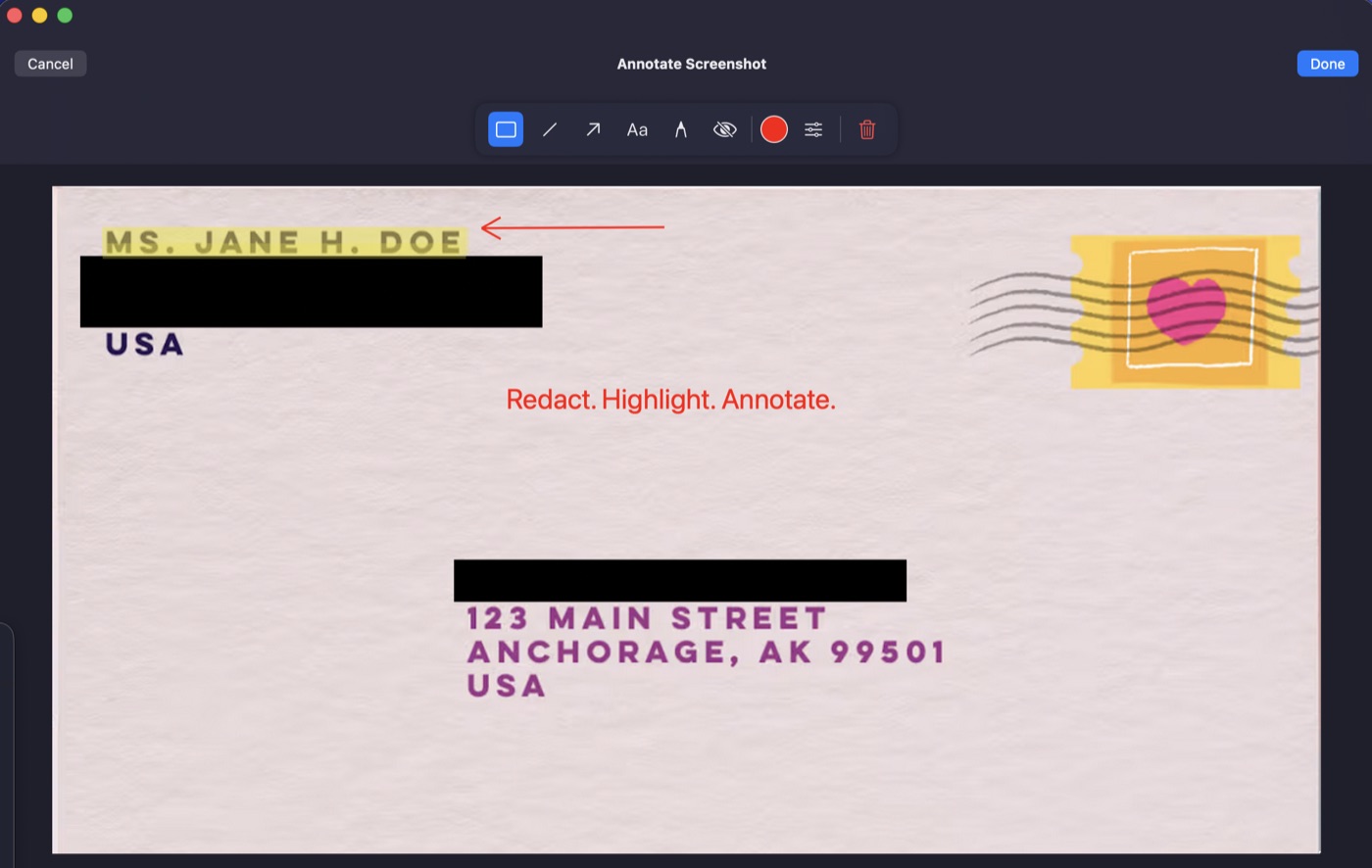
- Annotation tools: Arrows, rectangles, text, highlight, obfuscate — edit before upload
- Screen recording: GIF and MP4 with area selection and countdown
- Upload to your server: SSH/SFTP or S3-compatible storage (AWS, Cloudflare R2, Backblaze B2)
- Instant clipboard URL: Screenshot to shareable link in seconds
- Menu bar app: Lives in your menu bar, triggered by global hotkeys
Feature Comparison
| Feature | ShareX | CapturePush |
|---|---|---|
| Platform | Windows only | macOS (native) |
| Price | Free / open source | Free |
| Area / window / fullscreen | Yes | Yes |
| Scrolling capture | Yes | Yes |
| Annotation editor | Yes (full editor) | Yes (core tools) |
| GIF recording | Yes | Yes |
| MP4 recording | Yes (FFmpeg) | Yes |
| Upload to own server | Yes (FTP/SFTP/S3/70+) | Yes (SSH/S3) |
| Clipboard URL | Yes | Yes |
| Global hotkeys | Yes | Yes |
| OCR / text capture | Yes | No |
| Automation / workflows | Yes (extensive) | No |
| Upload destinations | 70+ services | SSH + S3-compatible |
Where ShareX Wins
ShareX has more features overall — OCR, automated workflows, dozens of upload destinations, color picker, hash checker, and more. If you need the full suite and you're on Windows, nothing beats it.
Where CapturePush Wins
CapturePush is a native macOS app that does the core workflow — capture, annotate, upload — without the weight. It integrates with your Mac (menu bar, system hotkeys, Retina display support) and uploads to infrastructure you control. No configuration rabbit holes, no Windows dependency.
Try CapturePush
The ShareX workflow on your Mac. Free, native, no account required.
Download for Mac